
Starpeer UC · Chrome extension
Call from any web page. One click.
ConnectWare Hub is a free extension for Google Chrome. It turns the phone numbers on the pages you open into click-to-call links that ring through your Starpeer extension. It can also open the caller's record in your CRM the moment a call comes in.
Step 1 · Install
Add it to Chrome.
- Open ConnectWare Hub in the Chrome Web Store and click Add to Chrome, then Add extension.
- Click the puzzle-piece icon at the top right of Chrome and click the pin next to ConnectWare Hub, so its icon stays in your toolbar.
Chrome will say the extension can "read and change" data on websites. It needs that to find phone numbers on the pages you open. The publisher, Netlink Voice, states in the store listing that it doesn't collect or sell your data. If your work Chrome won't let you install it, your company's IT admin has blocked the Web Store; ask them or call us.
Step 2 · Sign in
Use your Starpeer login.
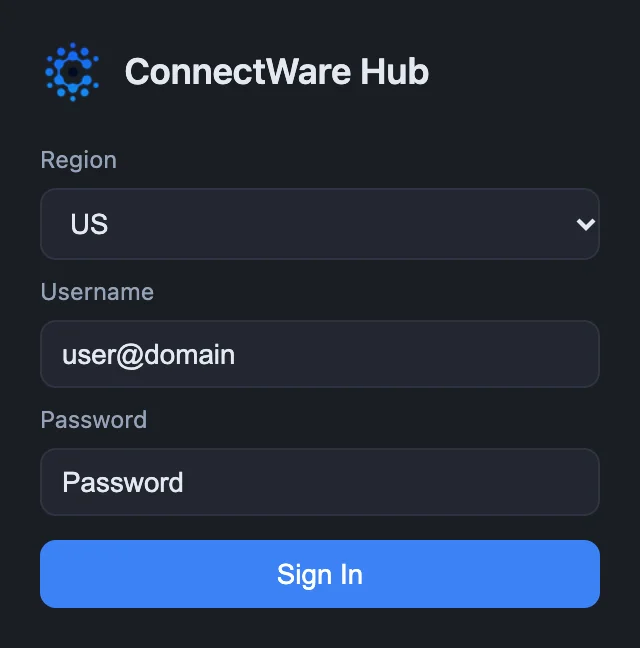
- Click the ConnectWare Hub icon in your toolbar.
- Leave Region on US.
- Enter your username as
ext#@domain: your extension number, then@, then your company's domain. Then enter your password. Not sure what yours is? Contact your admin for help. - Click Sign In. If your account uses two-step sign-in, type the 6-digit code from your authenticator app and click Verify.
Forgot your password? Contact your admin, or call us.
Making calls
Three ways to start a call.
However you start it, your own phone rings first. Answer it, and the extension dials the other number. The phone that rings is set under Answering Device.
- Click a number on a web page. Numbers the extension can call get a dashed blue underline and a small phone icon. Click one, and a green Calling… note appears at the bottom of the page. Phone links (
tel:) work the same way. - Right-click a highlighted number. If a number isn't underlined, highlight it with your mouse, right-click, and choose Call "…" with NS Dialer.
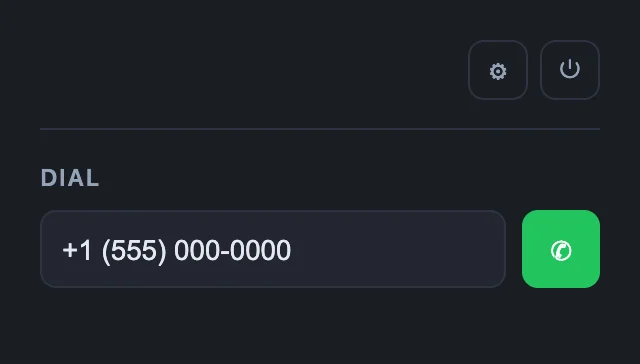
- Type it in. Click the toolbar icon, type the number in the Dial box, and click the green call button.
- Customer
- Lakeshore Supply
- Contact
- Jordan Ellis
- Phone
- (616) 555-0142
Numbers inside text boxes stay plain, so the extension never gets in the way when you type. If a site acts strangely with click-to-call, add it to the exceptions list in Settings.
Settings
Choose which phone rings.
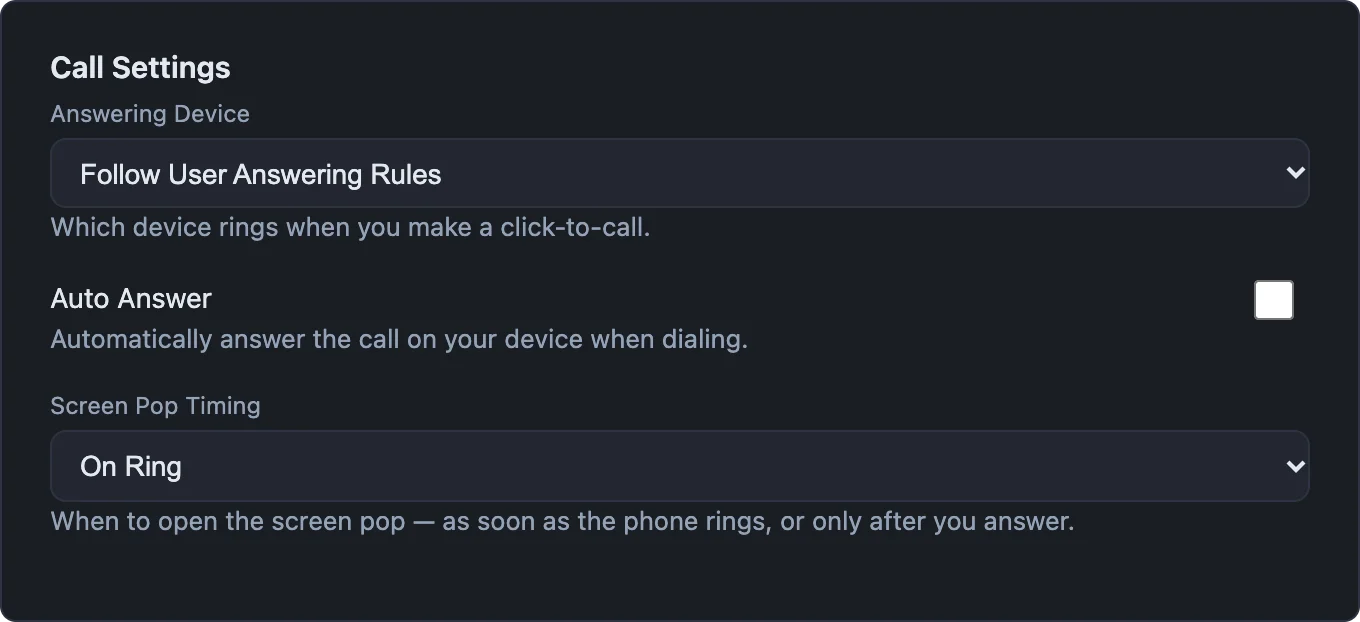
Click the toolbar icon, then ⚙. Settings opens in a new tab.
| Setting | What it does |
|---|---|
| Answering Device | Which of your phones rings when you click to call. Follow User Answering Rules rings the same phones a normal call to your extension would. |
| Auto Answer | Your phone picks up by itself, so the call goes straight out. Best with a headset or speakerphone. |
| Screen Pop Timing | On Ring opens the caller's record as soon as the phone rings. On Answer waits until you pick up. |
| Click-to-Call Exceptions | Sites where numbers are left alone. Add a site here if the underlines get in the way. |
Screen pops
See who's calling before you answer.
When a call comes in, the extension can open that caller's record in your CRM in a new tab. Pick your CRM under Active Integration in Settings. Most CRMs need a key or token from your CRM admin before the first screen pop.
- Acumatica
- AgencyZoom
- ConnectWise Manage
- CrystalPM
- Freshdesk
- HubSpot
- SpaceAuto
- Wealthbox
- Zendesk
- Zoho Bigin
- Zoho CRM
Call logging
Acumatica, AgencyZoom, CrystalPM, SpaceAuto and Zoho Bigin can also add each call to the customer's record when it ends. Some can attach the call transcript a few minutes later, if call transcription is turned on for your account.
Test it
Highlight a customer's number on any page, right-click, and choose Screen pop "…" with NS Dialer. If the record opens, you're set. If more than one record matches, the extension asks you to pick one.
Using a CRM that isn't listed? Settings also has integrations supplied by the phone system and a Custom option for any CRM that can open a record from a web address. Call us and we'll help set it up.
If something's off
Quick fixes.
| What you see | Try this |
|---|---|
| Numbers aren't underlined | Reload the page. Check the site isn't on your exceptions list. Numbers inside text boxes are never underlined; use right-click instead. |
| "Failed to call" note | Click the toolbar icon. If you see the sign-in box, sign in again. If you're signed in, click ↻ to reconnect. |
| The wrong phone rang, or none did | Check Answering Device in Settings, and make sure that phone or app is on and signed in. |
| No screen pop on a call | Check Active Integration in Settings and use Test Connection for your CRM. |
Want screen pops set up for your team?
Tell us which CRM you use. We'll walk you through the keys it needs and test the first call with you.