
Cameras and Command
The trailer is a power and mounting platform. The security system on it is Verkada, managed in Verkada Command like any other Verkada site.
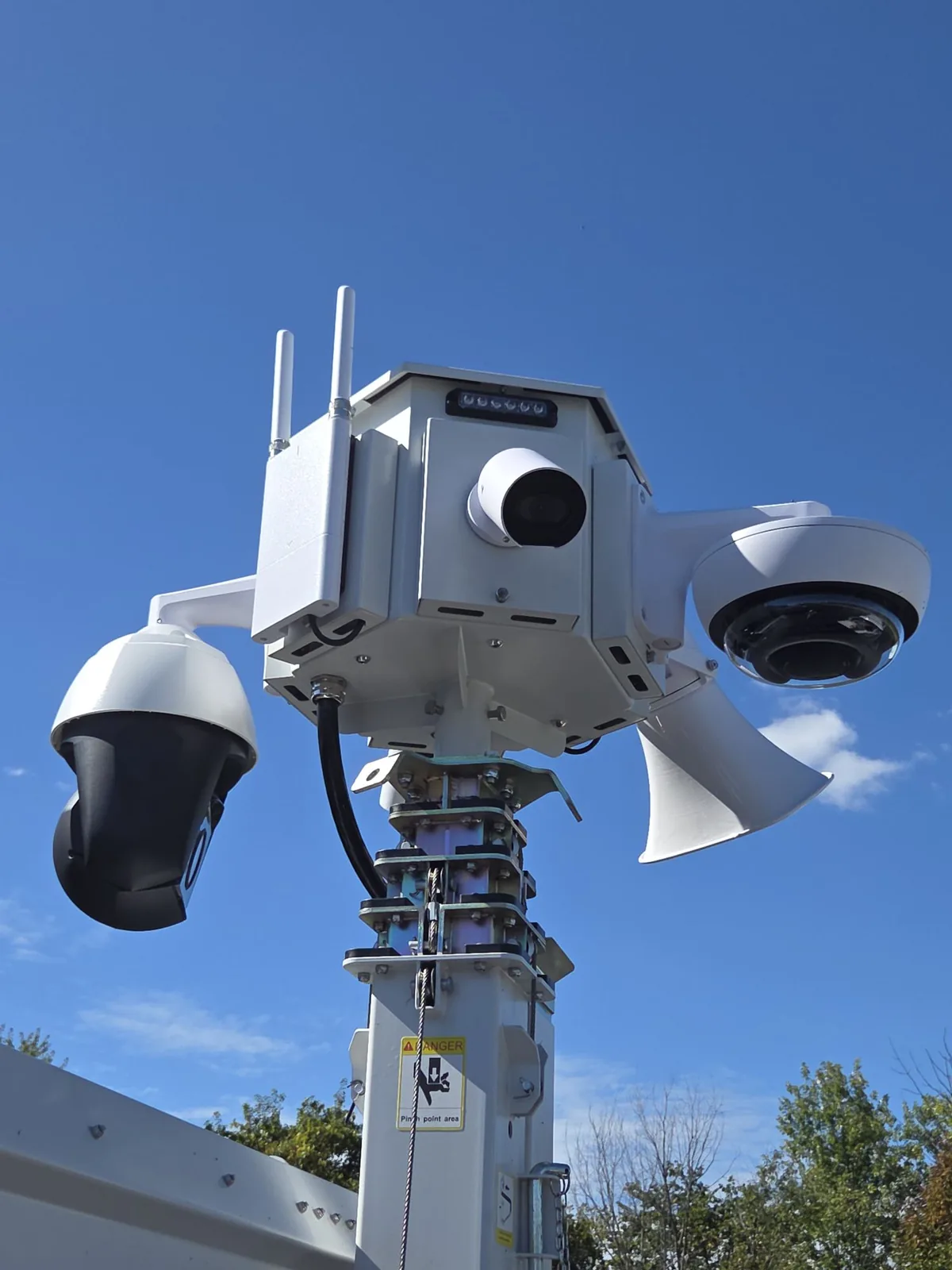
What is on the mast
The head assembly is configured for your site before delivery. It can carry:
- Cameras: fixed bullet, PTZ, multi-sensor, fisheye, or thermal.
- License plate recognition cameras for vehicle identification and hot lists.
- Speakers and strobes for automated or live deterrence.
- LED area lighting run from the solar system.
- A two-way intercom for talking to people on site.
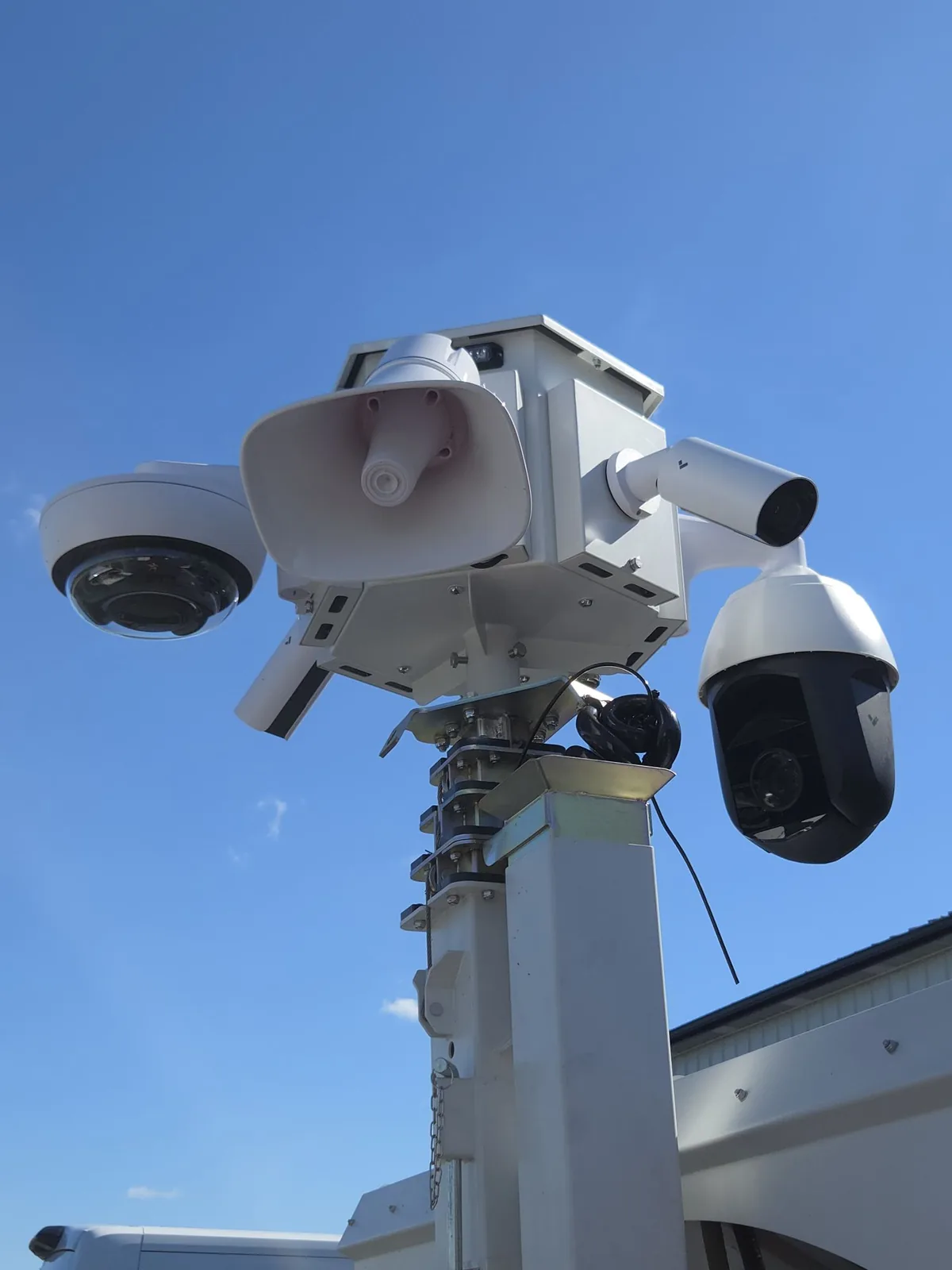
How it connects
Cameras are powered and networked over the mast cord to the network switch in the cabinet. A cellular gateway at the top of the mast, with two SIM slots, puts the trailer on the internet anywhere it has coverage. Cellular service plans are available through VanBelkum.
If the gateway loses signal, cameras keep recording locally and catch up when the connection returns.
Managing it
Everything about the cameras is done in Verkada Command, on the web or in the Verkada app:
- Live view, playback, and sharing clips.
- Alerts for people and vehicles, with animals and weather filtered out.
- Sentry Mode for person-of-interest alerting and Detect & Deter for AI-triggered speaker and strobe responses, where licensed.
- Camera health, firmware, and settings.
Verkada’s own documentation covers Command in depth: help.verkada.com. Sign in at command.verkada.com.
Trailer power and connectivity status are on the trailer’s remote dashboard, not in Command. If a camera goes offline, check the trailer dashboard first: a low battery or a lost cellular link looks like a dead camera from inside Command.