
Generator
The onboard gasoline generator is standard on the VB4-MST and gives automatic top-ups: when the battery bank drops to a set voltage, the generator starts, charges, and shuts itself off. This page covers first start, the two modes, and upkeep.
The generator burns gasoline and makes exhaust and heat. Run it only with the trailer outdoors and the generator side cover open as designed. Check the engine oil and fuel before the first start of every deployment.
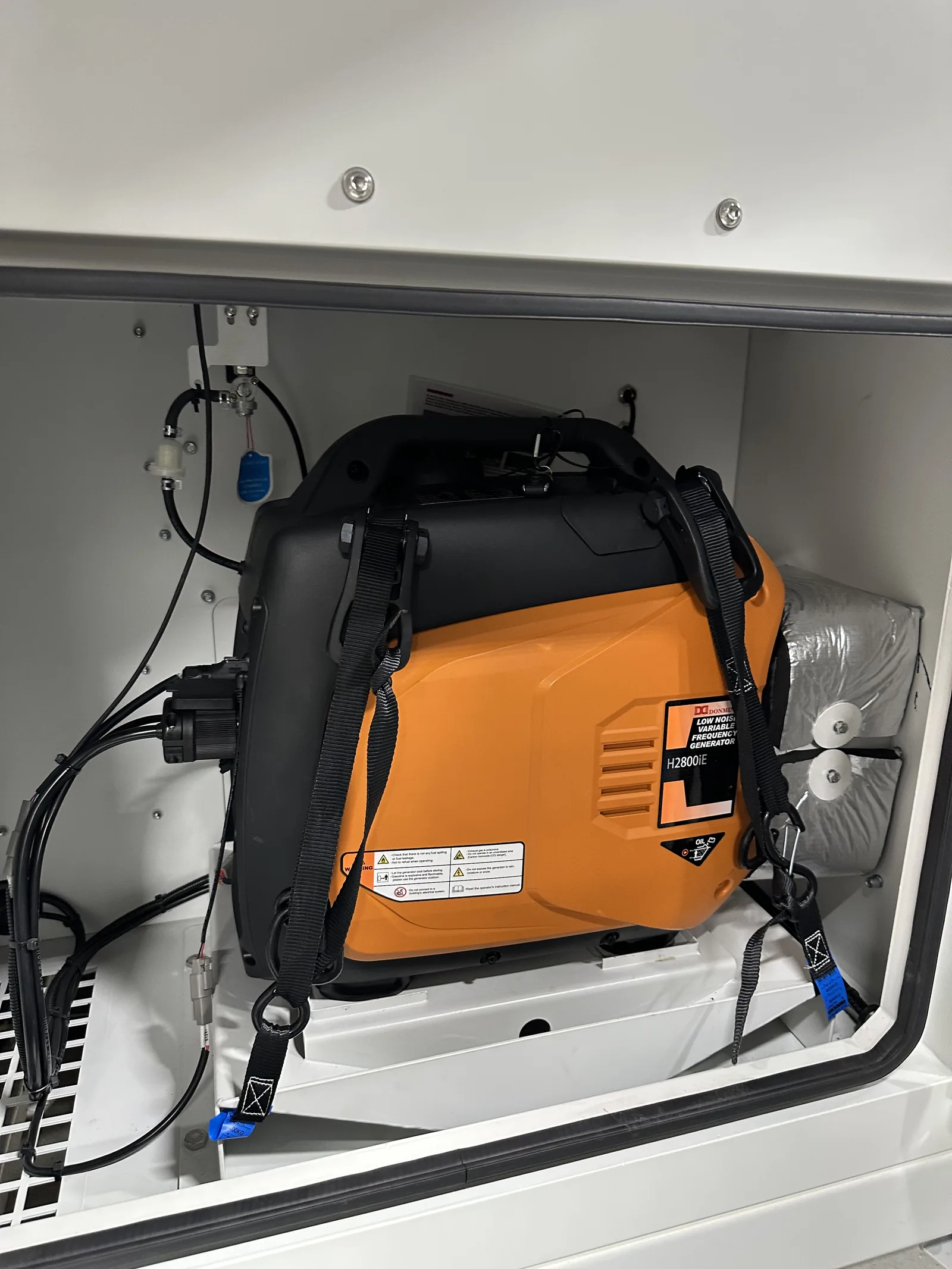
First start after delivery or storage
- Open the generator side cover by removing its two bolts.
- Connect the starter battery plugs. They are under the orange cover on the generator.
- Close the generator circuit breaker. It powers the generator controller and charges the starter battery.
- Turn the key switch on.
- Make sure the battery monitor breaker is on. Automatic mode depends on it.
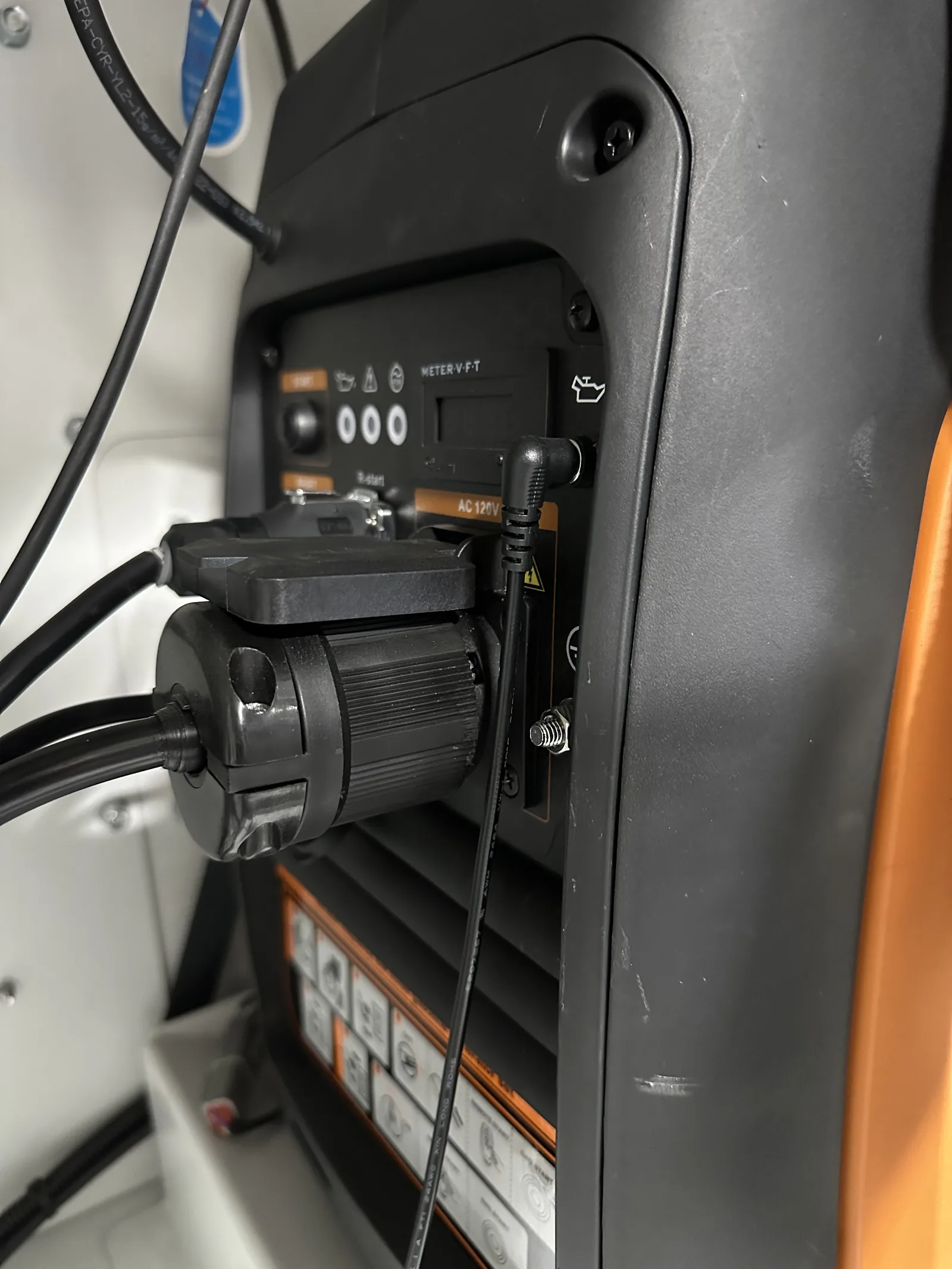
Automatic mode (recommended)
This is how the trailer should run day to day.
- Check engine oil and fuel level. The filler for the integrated tank is behind its own small door, with the fuel gauge beside it.
- Confirm the generator controller and the battery monitor are powered.
- Confirm the generator controller’s Auto light is on.
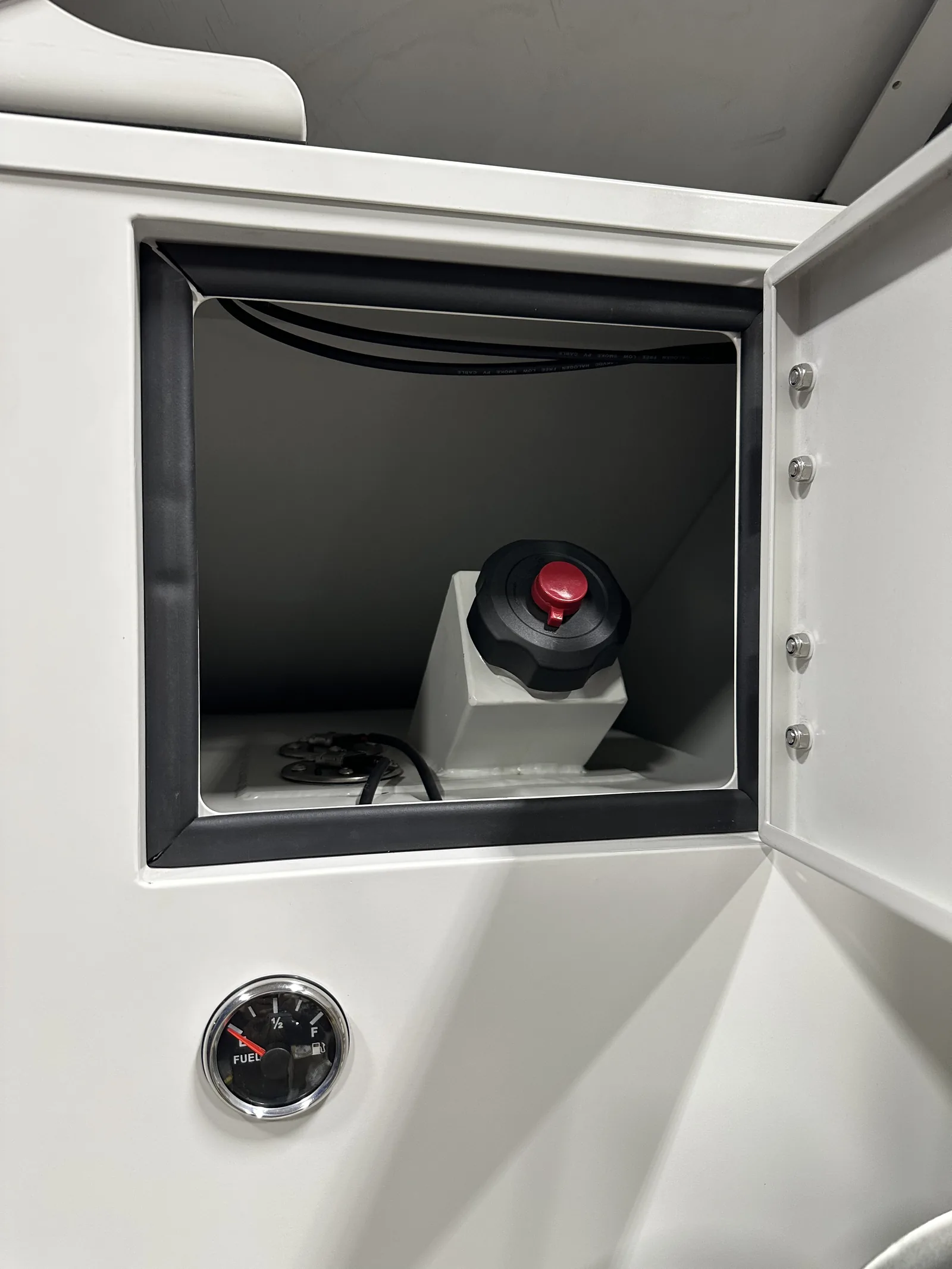
That is all. The system controller starts the generator when the battery bank reaches the low-voltage threshold and stops it at the high-voltage threshold.
The thresholds
VanBelkum sets these for your battery type before delivery. If you ever need to check them, they live in the system controller’s generator start/stop settings, reachable from the touch display or the VictronConnect app:
| Battery type | Auto-start below | Auto-stop above |
|---|---|---|
| Gel lead-acid (standard on the VB4-MST) | 23.5 V | 26.0 V |
| Lithium (optional) | 24.0 V | 26.5 V |
Some units use the battery monitor’s relay or a voltage-sensing relay for the same job, with the same values. Call support before changing any of these.
Manual mode
For an emergency start or a test only:
- Turn the key switch on.
- Press Start on the generator controller. To stop, press Stop.
From the generator’s own panel, for testing: press START for about one second to start; press and hold START for about three seconds to stop.
A generator started by hand does not stop by itself. It will run until someone stops it, or until the tank is empty. Set a reminder.
Maintenance schedule
| Item | Every use | First month or 10 h | Every 3 months or 50 h | Every 6 months or 100 h | Every 2 years or 200 h |
|---|---|---|---|---|---|
| Engine oil level | Check | ||||
| Engine oil | Replace | ||||
| Air filter | Check | Clean | |||
| Spark plug | Check and adjust | Replace | |||
| Spark arrester | Clean | ||||
| Valve clearance | Check and adjust * | ||||
| Fuel filter and tank | Clean | ||||
| Cylinder head | Clean every 300 h * | ||||
| Fuel line | Check every 2 years; replace if needed |
* Needs special tools and training. Call VanBelkum to arrange these.